





Thursday, October 15, 2009

Honda Bike Simulator Designed For Safety Training, Not For The Extremely Lazy

Honda Bicycle Simulator (Images courtesy FarEastGizmos)
By Andrew Liszewski

So I guess Japan is really serious about bicycle safety, so much so that Honda developed this bicycle safety simulator that allows riders of all ages to learn proper traffic rules and manners before they get on the road. The simulator includes different courses and scenarios like “going to school” or “going to the grocery store” and a rear mounted LCD even allows riders to see traffic coming up behind them. The simulators will be available from Honda starting in February of 2010 for an undisclosed price, though pre-orders will be taken starting in November.

[ FarEastGizmos - Honda Bicycle Simulator offers realistic experiences for user groups of different ages ]


Advertisement

Corsair Announces A 64GB Version Of Their Flash Survivor USB Drive

64GB Flash Survivor (Image courtesy Corsair)
By Andrew Liszewski

For those needing 64GB of nearly indestructible flash storage, Corsair has just announced a larger version of their Flash Survivor USB drive. They still feature a super strong CNC-milled aircraft-grade aluminum casing, shock-dampening collar and water-resistant EPOM seal, but it looks like they’ve managed to shed a little girth when compared to the 32GB Flash Survivor I reviewed back in May of 2008. As for pricing, well it looks like they’ll set you back somewhere in the neighborhood of $220-230, but can you really put a price on the peace of mind knowing your files are safe?

[ Corsair Flash Survivor ]

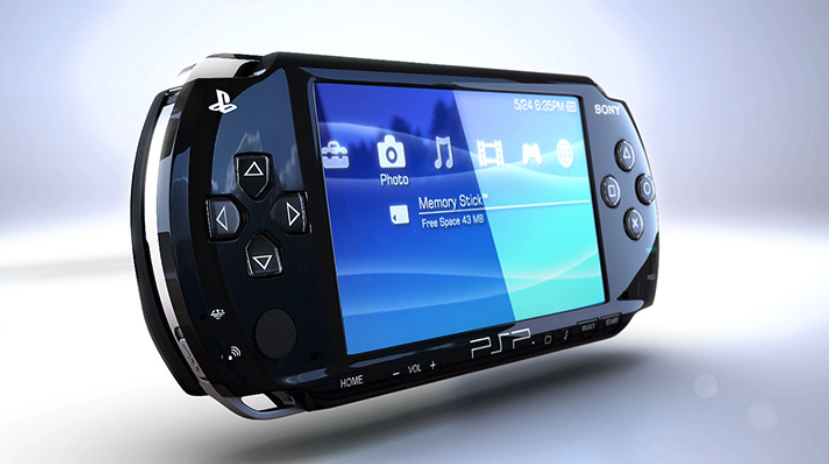
PSP To HDMI Converter With 720P Upscaling

LKV8000 PSP to HDMI Converter (Images courtesy Lenkeng)
By Andrew Liszewski

Very few words can make me shudder as much as the term ‘upscaling’ but that’s exactly what the LKV8000 Converter from Lenkeng promises to do for your PSP. Not only does it convert the PSP’s component video and L/R audio out to HDMI, which admittedly is convenient, but it also upscales its 480P signal to 720P using “Motion Compensated 3D Wavelet Video Coding Technology” which supposedly results in jitterless video without trailing. There’s no pricing info at this time, but since Lenkeng doesn’t sell directly to end-users you won’t be able to buy one anyways until someone decides to distribute it.

[ Lenkeng LKV8000 PSP to HDMI Converter ] VIA [ I4U News ]

Sync Blocker Cable Lets You Charge Anywhere Without Syncing

Sync Blocker USB to Dock connector cable for iPhone / iPod (Image courtesy USBFever)
By Andrew Liszewski

While it’s convenient that the iPhone and the entire iPod line (minus the old-school firewire versions) can recharge over USB, I’m sure at one time or another we’ve all been in the situation where you connected your device to someone else’s computer to charge it, only to have it try and sync with their copy of iTunes. But the Sync Blocker cable solves that problem with a simple switch that can be set to charging & HotSync, or just charging. It’s just $12.99 from USBFever.com and supports all of the iPhones and iPod Touches, as well as the more recent versions of the iPod Classic and Nano.

[ Sync Blocker USB to Dock connector cable for iPhone / iPod ] VIA [ The Red Ferret Journal ]

Logitech Notebook Kit MK605

Logitech-MK605

By Chris Scott Barr

My computer setup is rather complicated, as I have a pair of monitors hooked to my desktop PC, plus I use my MacBook with another monitor attached to it. I’ve been using one of Logitech’s Alto laptop stands, which certainly helps things out. It not only gives me a nice stand that keeps the notebook’s screen at the same height as my monitor, but it also has a wireless keyboard that goes with it. Well today Logitech announced the successor to this, the Notebook Kit MK605.

The MK605 Kit comes with a much more simplistic riser than the Alto. No electronic components are integrated into it, but it does have three different angles at which it can hold your laptop. You’ll also find a fairly basic wireless keyboard and mouse set (K340 and M505 respectively) that work with the Unifying technology we’ve seen lately. You’ll just need one tiny receiver for both peripherals. Batteries won’t be too much of an issue, as the keyboard will last 3 years and the mouse 15 months between sets. If you use your laptop for long periods on your desk, this $99 set will be well worth the money.

[ Logitech ]

GlideTV Navigator Replaces Your HTPC Remote And Mouse

GlideTV Navigator

By Chris Scott Barr

HTPCs have been around for a while now, but the way we control them hasn’t changed much. You’ll generally either use a standard remote, or some sort of in-air mouse and a keyboard. Neither of these is the ideal solution. GlideTV seems to think that they’ve built a device that will be exactly what HTPC users need.

The GlideTV Navigator is handheld device that is supposed to combine “the functionality of a keyboard, mouse and AV remote.” I don’t know that I’d agree with the keyboard part, but it is more or less a combination mouse/remote. You can however download an on-screen keyboard for input. The device works with Windows, OSX, PS3 and any other device that accepts mouse and keyboard HID devices. Some of the other noteable features include:

Read the rest of this entry »

Nooka Zaz With See-Through LCD Display

Nooka Zaz (Image courtesy Watchismo)
By Andrew Liszewski

Nooka seems to be heavily promoting the fact that their new Zaz watch allows your own skin tone to show through thanks to a transparent LCD display. But hopefully they’ll realize that the nifty design is more then enough to sell the timepiece, since I don’t think anyone, anywhere at anytime has lamented the fact they couldn’t see their skin through the watch they were wearing.

The time is displayed via your typical pseudo-confusing grid of blocks and a series of dashes, though it doesn’t actually appear to be that hard to decipher, and you’ll have your choice of a black or white leather or silver mesh band to complement the silver face. $380, available for pre-order now from Watchismo.

[ Watchismo - Nooka Zaz ] VIA [ CrunchGear ]

USB Foot Switch

USB Foot Switch (Image courtesy Brando)
By Andrew Liszewski

For just $18 Brando will sell you a USB Foot Switch that comes with software allowing it to reproduce any keyboard shortcut when you tap your foot. Now off the top of my head I can’t really think of a keyboard shortcut I’d need to pass off to my foot, but since you can connect more than one switch to any given PC I assume there has to be the potential for something useful here. Internet? I pass the buck to you to figure out what it is.

[ USB Foot Switch ] VIA [ Pocket-lint ]

Samsung Unveils Phone Made From Plastic Bottles

Blue Earth

Article courtesy of John Beck, from The Processor.

Have you ever wished your phone was a little more environmentally friendly? I haven’t because I’m a thoughtless oaf, but for tech-savvy eco warriors who have, Samsung has launched the Blue Earth handset.

The touch screen eco-phone is made from material extracted from water bottles, and is free from nastiness like bromine-based flame retardants, PVC and phthalate esters. It also sports a built in solar panel to take advantage of what Samsung helpfully points out, is one of the most eco-friendly energy sources.

The Blue Earth ships with a “unique user interface designed to draw attention to preserving our fragile environment.” Less impressive than it sounds, this basically amounts to the option of switching to energy efficient settings for screen brightness, backlight duration and Bluetooth at the touch of a button. For the environmentally conscious app-addict, there’s even a built in pedometer, which allows users to smugly calculate the number of trees they’ve saved from an untimely death by walking instead of driving.

Read the rest of this entry »


The best mobile phone deals can be found at Best Mobile Contracts

DS Video Games


The Overflow
Powered by Twitter
    follow us on Twitter


    All contents copyright © 2006 OhGizmo! All rights reserved. Privacy Policy. Powered by WordPress.