|
|
Search Results
by Andrew Liszewski

By Andrew Liszewski
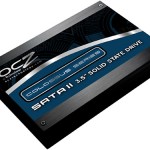
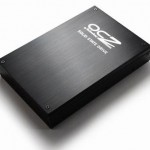
It’s kind of surprising how quickly SSD drives reached the 1TB mark, particularly given how recently SSDs became available to consumers. And that’s probably why OCZ Technology’s new 1TB Colossus SSD, which we first brought you back in August, will actually burn a $3,400 hole in your pocket according to X-bit Labs and Froogle. Expensive? Absolutely. But for your money you also get max read and write speeds of 260MB/s with a sustained write speed of 220MB/s, and if performance is of the utmost performance to you, it might just be worth the coin.
[ PR - OCZ Technology Launches Cutting-Edge High-Capacity Colossus 3.5” SSD Line with up to One Terabyte of Storage ] VIA [ X-bit Labs ]
by Chris Scott Barr

By Chris Scott Barr
Last week we showed you one of our first SSD’s that we’ve had a chance to review here at OhGizmo. It performed very well, but it was also had a small capacity and a large price tag. If you’re not looking to spend quite that much, but still want to upgrade from that old spinning drive, then you might try more of an entry-level drive. Kingston was kind enough to send over one of their V Series drives, which I’ve spent some time testing.
We were able to test out the SSDNow V Series 128GB Desktop Bundle. 128GB should be plenty of space for most users, though some may still want a secondary drive if they tend to have a lot of larger files that they need. You won’t have to be nearly as careful with space as you would on say the 64GB drive we tested last week.
(more…)
by Chris Scott Barr

By Chris Scott Barr
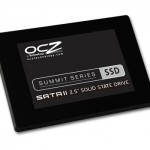
When you think about upgrading your computer, the first things that usually come to mind are the processor, memory, and if you’re a gamer, the graphics card. In the days where you only had spinning hard drives to consider, you didn’t really gain much from upgrading to a new one, except more storage. Sure, a few extra MB of cache didn’t hurt, but it really didn’t make a huge difference. With solid-state drives becoming increasingly popular, we thought we’d take a look and see just how much you would benefit from upgrading to one.
OCZ was kind enough to send us one of their new Summit series drives to test out. Specifically, the 64GB version. Yes, 64GB doesn’t seem like very much storage, especially when we’re already hearing whispers of 2.5TB hard drives. Then again, I stream my music and videos from a network drive, so aside from a few games and applications, I don’t need tons of space. I might feel more comfortable with a 128GB or 256GB one, which is why they have those options available. Hit the jump for my full review.
(more…)
by Chris Scott Barr

By Chris Scott Barr
When it comes to solid state drives, there are two main complaints. One being that they are still limited in size, and the other being the high prices. Thankfully as time goes on, we’re seeing bigger drives and lower prices. OCZ is definitely doing its part to keep things moving, as they’ve officially announced the first 1TB SSD.
That’s right, we’ve finally broken the terabyte barrier with SSD drives. The increase in storage space calls for a larger physical drive, which won’t likely upset too many people. The new drive uses the 3.5-inch format, which is rather convenient. Most SSD’s these days are 2.5-inch, and thus don’t fit into desktop PC’s without an extra bit of work, or some type of converter.
So how much is this monster of an SSD going to set you back? Just a small fee of $2,500 is all it takes when the Colossus hit’s store later this month. If you’re too much of a cheapskate to throw down that much cash, then there will also be a 500GB Colossus drive for a lower (and currently undisclosed) price.
[ OCZ ] VIA [ Ubergizmo ]
by Chris Scott Barr

This post is syndicated with permission from GamerFront.net
When it comes to gaming hardware the first things to pop into mind are generally the CPU/RAM and video card. It wasn’t until I set aside the trusty wireless mouse that came with my old Logitech keyboard to review the OCZ Behemoth Laser Gaming Mouse that I realized just how much this device plays into the gaming experience.
Right out of the box my first impression was that it appears rather bulky, I say appears because once it was plugged in and in my hand it felt very comfortable. The extra width comes from the erganomic design which provides a comfortable rest for the ring and pinky fingers. This had a impact during a long gaming session with the new Ghostbuster’s game. One requirement in the game is to target and wear down ghosts which on harder difficulty settings can take a considerable amount of time. The lack of fatigue in my hand afterwards was noticeable.
(more…)
by Chris Scott Barr

By Chris Scott Barr
If you’re a hardcore gamer, then chances are you’ve heard of Fatal1ty. This is the guy that everyone aspires to beat when they go to a world-class tournament for FPS like Quake and Unreal Tournament. Well while at E3 we had a chance to sit down and chat with the number-1 ranked gamer in the world. Hit the jump for the full interview, plus a little surprise at the end.
(more…)
by Ian Chiu

By Ian Chiu
We laptop owners can easily run out of storage space since most 2.5″ drives are still relatively small in capacity. Other than paying notebook vendors for over-priced hard drives to keep our warranty and then spending a beautiful weekend afternoon on drive cloning, there is a simpler and time-saving way to expand storage without breaking the bank. This is where OCZ Slate SSD comes in. The USB-based Slate is basically like any other flash drives except it is housed in an ExpressCard. The design allows the storage card to fit snugly inside the ExpressCard slot without the risk of it breaking off. On the opposite side of the ExpressCard connector is a mini USB 2.0 port which can be used for hooking up with desktop PCs or older laptops.
The Slate performance is decent with read speed topping at 30MB/s and write speed hovering between 15 and 17MB/s. The card doesn’t have a native PCI Express interface so USB 2.0 will always remain the bandwidth bottleneck for this product. Everything USB discovered the Slate to be particularly useful for storing music, video & photos as you can easily relocate them to the card and Slate’s speeds can easily handle even multiple 1080p HD playback. Overall, if you’ve an unused ExpressCard slot on your notebook, and don’t plan on getting a 3G wireless modem card, the Slate is something you should check out as an effortless storage option.
[OCZ Slate SSD ExpressCard Review @ Everything USB]
by Chris Scott Barr

By Chris Scott Barr
I’ve built quite a few computers with eSATA ports on them, as they have become fairly common on most motherboards. However, I can’t recall ever actually using a device that utilized one of these ports. Sure, there are external drives out there that ship with an eSATA connector, but I rarely have a need for one. Flash drives are getting large enough and cheap enough that I can generally use one to carry almost anything I need. So why not use a flash drive with an eSATA connector? Because you can’t, not without a power source like, say a USB connection.
eSATA has a much higher data transfer speed, but lacks the power of USB, so what’s the solution? For the sake of this article, I’m going to pretend that you didn’t say USB 3.0. (though that would have been my answer too). If you ask MSI, their solution is to combine the two ports into what they call Power eSATA. Essentially this is an eSATA port that can also provide 500mA current from USB. It’s actually a pretty neat idea, but I’ll be the first to say that it probably won’t ever take off. So far OCZ is the only manufacturer with a product that uses the connection, and we’ve got USB 3.0 sneaking up on us. Sorry MSI, I don’t care how many motherboards and notebooks you put this in, I just don’t see this one working out.
[ MSI ] VIA [ EverythingUSB ]
by Chris Scott Barr

By Chris Scott Barr
When it comes to laptops, there are only two things that you can really do to upgrade your hardware. That would be adding RAM and swapping out your hard drive. With the latest round of MacBook Pros, there have been some issues finding compatible RAM that isn’t direct from Apple (which is always on the expensive side). Luckily OCZ has your back on both RAM and a new hard drive for your Mac.
This week OCZ announced two new lines of RAM, and a new SSD specifically aimed at Mac users. First their “Qualified for Mac” RAM comes in DDR2 and DDR3 flavors. The DDR2 is 667MHZ PC2-5400 with a CL of 5-5-5-15. These can be found in single 2GB sticks either alone, or packaged in a pair. As for the DDR3 sticks, these are 8500 MHZ PC3-1066 with a CL of 7-7-7-20. They can also be found in single 2GB sticks, or in pairs.
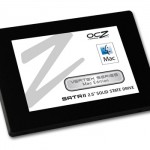
OCZ also announced their new Vertex Seris Mac Edition SATA II 2.5-inch SSD. The drives boast sequential read/write speeds of 240MB/s and 170MB/s respectively, and 64MB of onboard cache. Not only will these boost the speed of your activities, but increase your battery life as well. The new Vertex SDD’s will come in 30, 60, 120 and 250GB capacities. No word on pricing or availability of these newly announced products.
[ OCZ Product Page ]
|
|
|